

Creating a Dashboard Filter with Variable Filter:
- Create Dashboard Filter
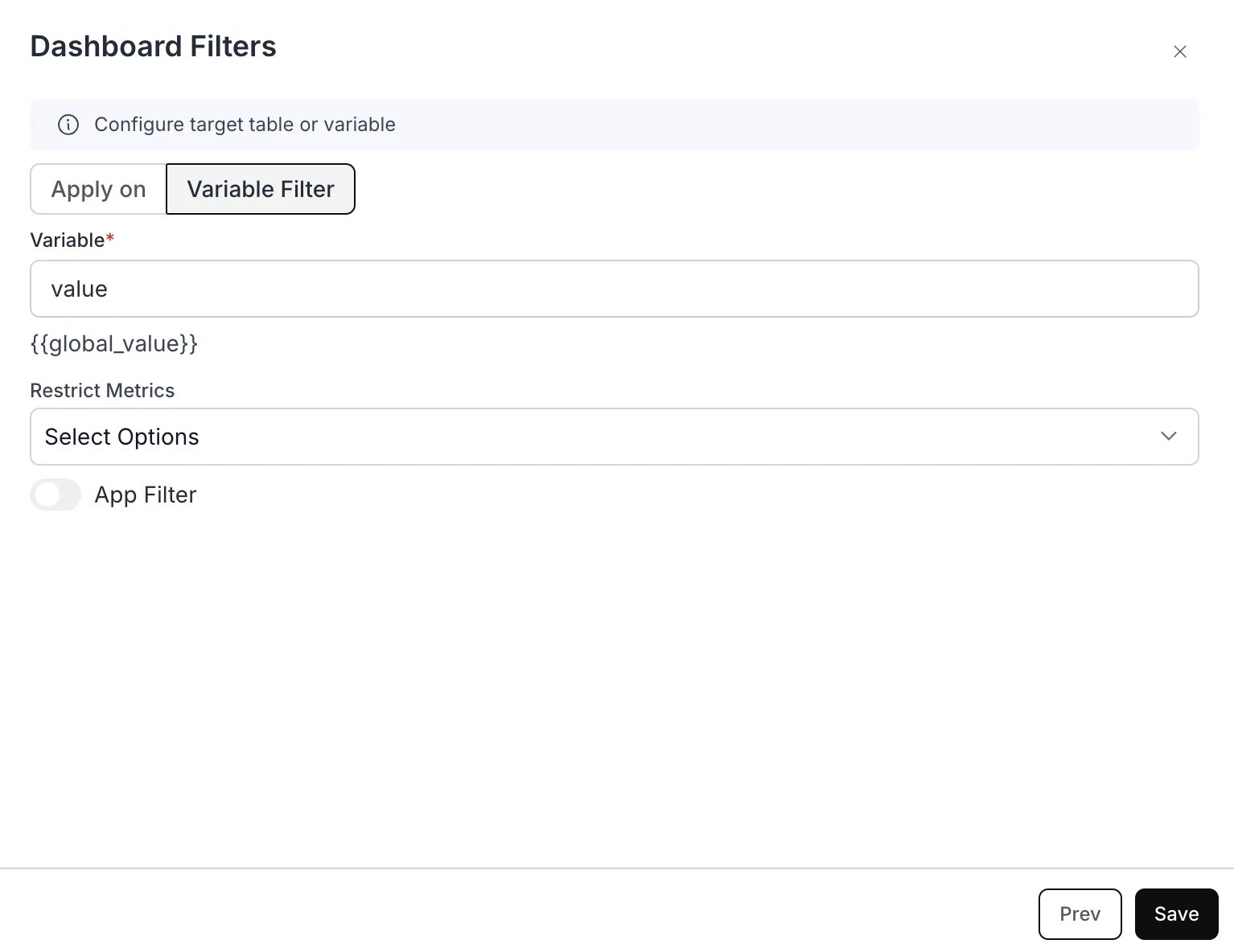
- In the “Apply On” section, choose “Variable Filter”
- Assign Variable Name:
- Assign a variable name, for example,
{{global_value}}for Dashboard Filter. - Copy the variable
{{global_value}}for use in your custom SQL query.
- Assign a variable name, for example,
Example Use Case: Dynamic Country Population Analysis
Let’s say you’re building a dashboard where analysts need to quickly filter population data for different countries without modifying the underlying SQL query each time. Here’s how the Dashboard Filter would be valuable: Purpose:- Allows users to dynamically select different countries to view their population data
- Eliminates the need to write separate queries for each country
- Provides a user-friendly interface for non-technical users
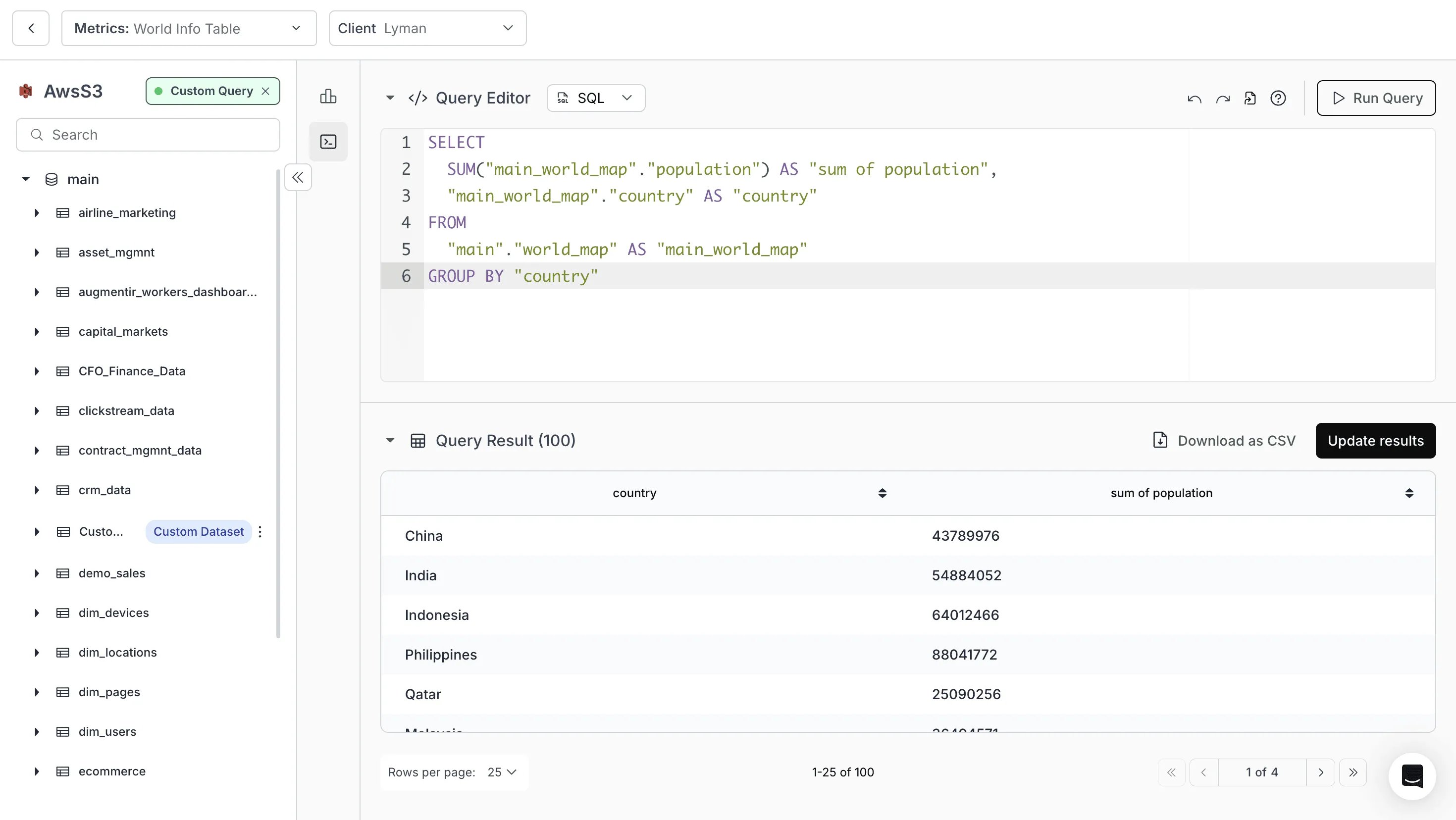
- Custom SQL you write:
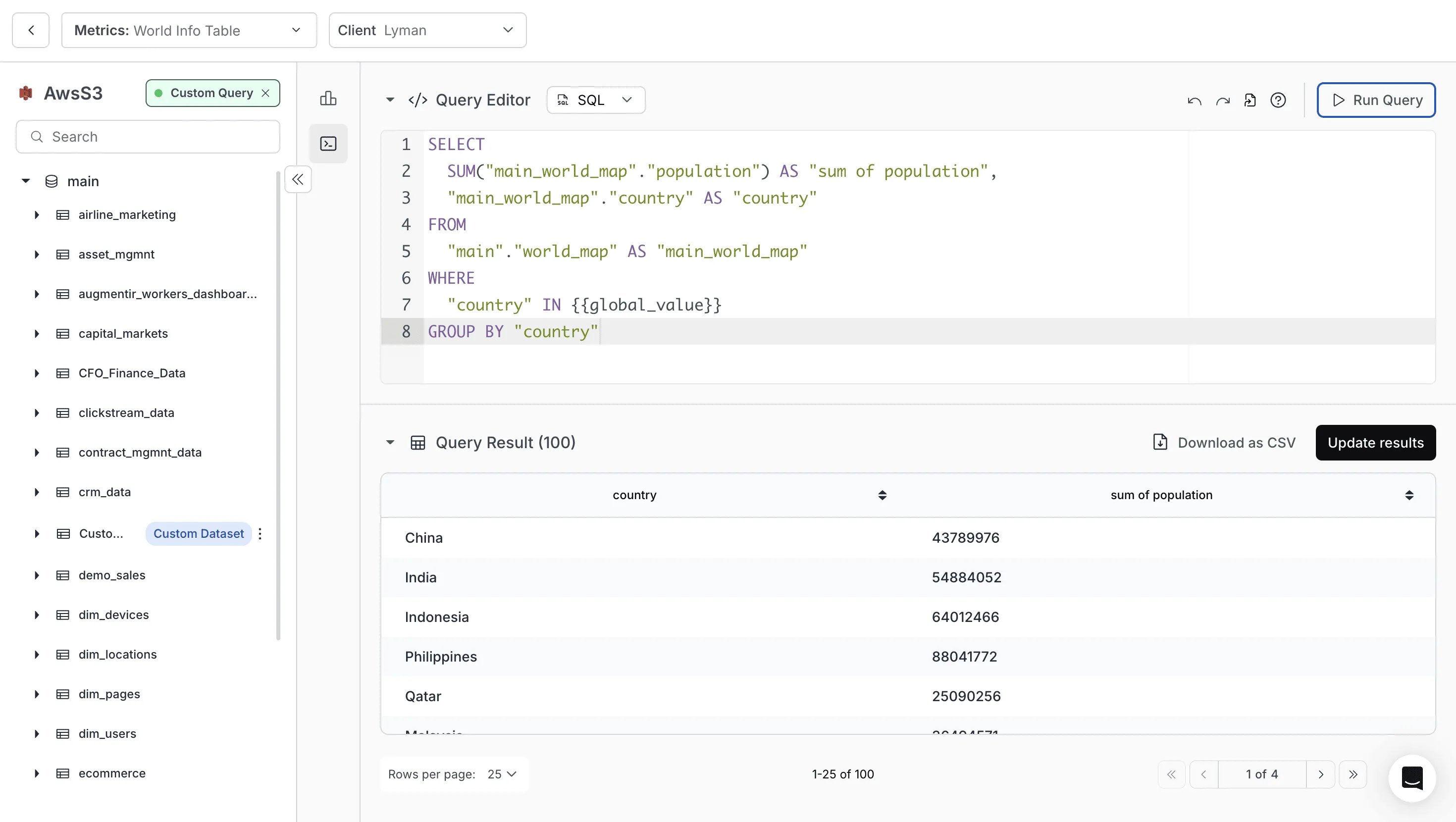
- Custom SQL added with Variable Filter:
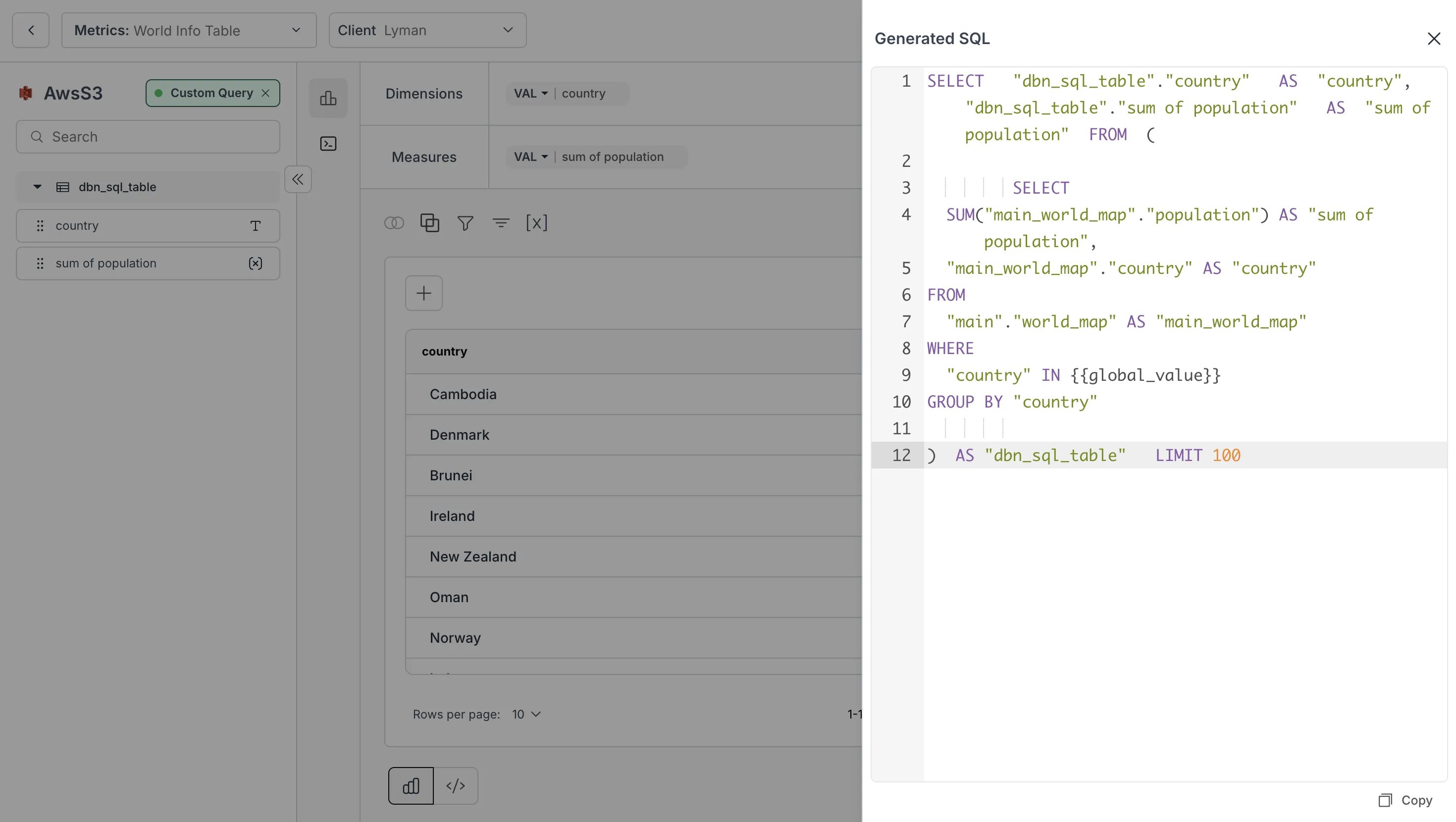
- Resulting SQL:
Working:
- Initial SQL query gets all country population data
- Variable Filter adds a WHERE clause with
{{global_value}} - When users select a country from the filter, it automatically updates the query
- Results are instantly filtered to show only the selected country’s data
Important: Where and how to use the variable
- Keep the variable in the WHERE clause of your metric’s SQL. The variable name must exactly match the filter’s variable name (case-sensitive), and the filter needs a value or default — if the query runs while a
{{variable}}is still unresolved, you get: Error: Filter or Client variables detected in the query. There is no built-in way to display or “inspect” the current filter value in a metric, so a variable in SELECT has no supported use. - Single-select filter: The variable is replaced by a single quoted value; use
WHERE column = {{var}}. - Multi-select filter: The variable is replaced by a parenthesized list of quoted values, e.g.
( 'US' , 'CA' ); useWHERE column IN {{var}}— without your own parentheses (IN ({{var}})double-wraps into invalid SQL), and do not use= {{var}}for multi-select.
Dashboard Result After Applying Filter with Variable Value
The metrics are filtered according to the values selected in the dashboard filter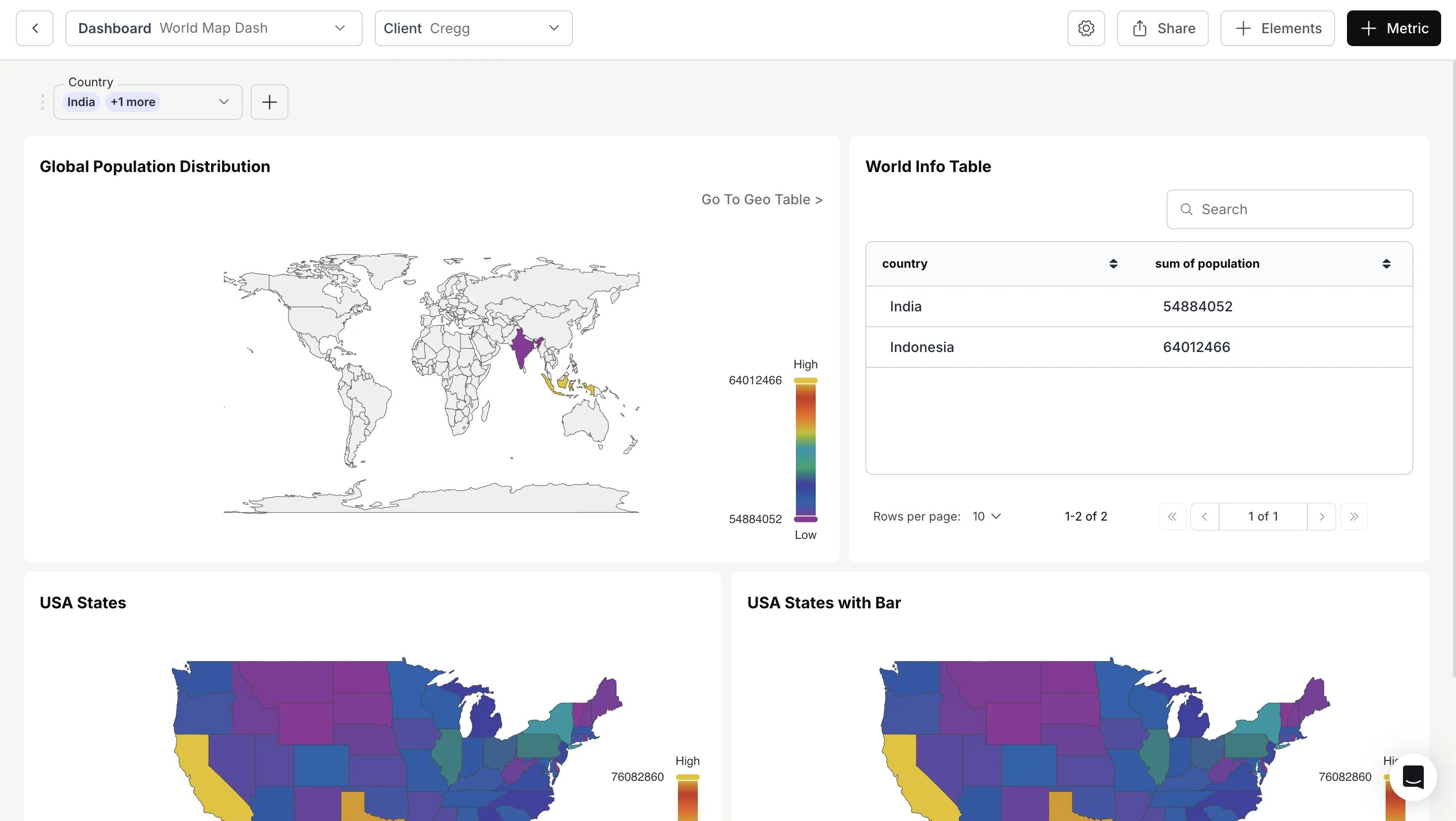
Variable Apply-On Filter configured successfully. The filter now passes the selected value into your SQL query dynamically.