

App Environment
1. Inviting a User
In the app environment, an admin can invite users with or without configuring email settings.In both cases, the invited user will receive an email notification with a secure login link.
- If email settings are configured:
The invitation email will be sent using your configured email service. - If email settings are not configured:
Databrain will automatically send the invitation email.
1
Invite a User
- Navigate to the “Invite User” section.
- Enter the user’s email address.
- Assign a role — Developer, Editor, or Viewer and select the workspaces the user should have access to.
- Click “Invite” to complete the process.
Inviting a User in the App Environment
2. Logging In
The invited user will receive an email containing a login link.By clicking the link, they can log in and access their Databrain account.
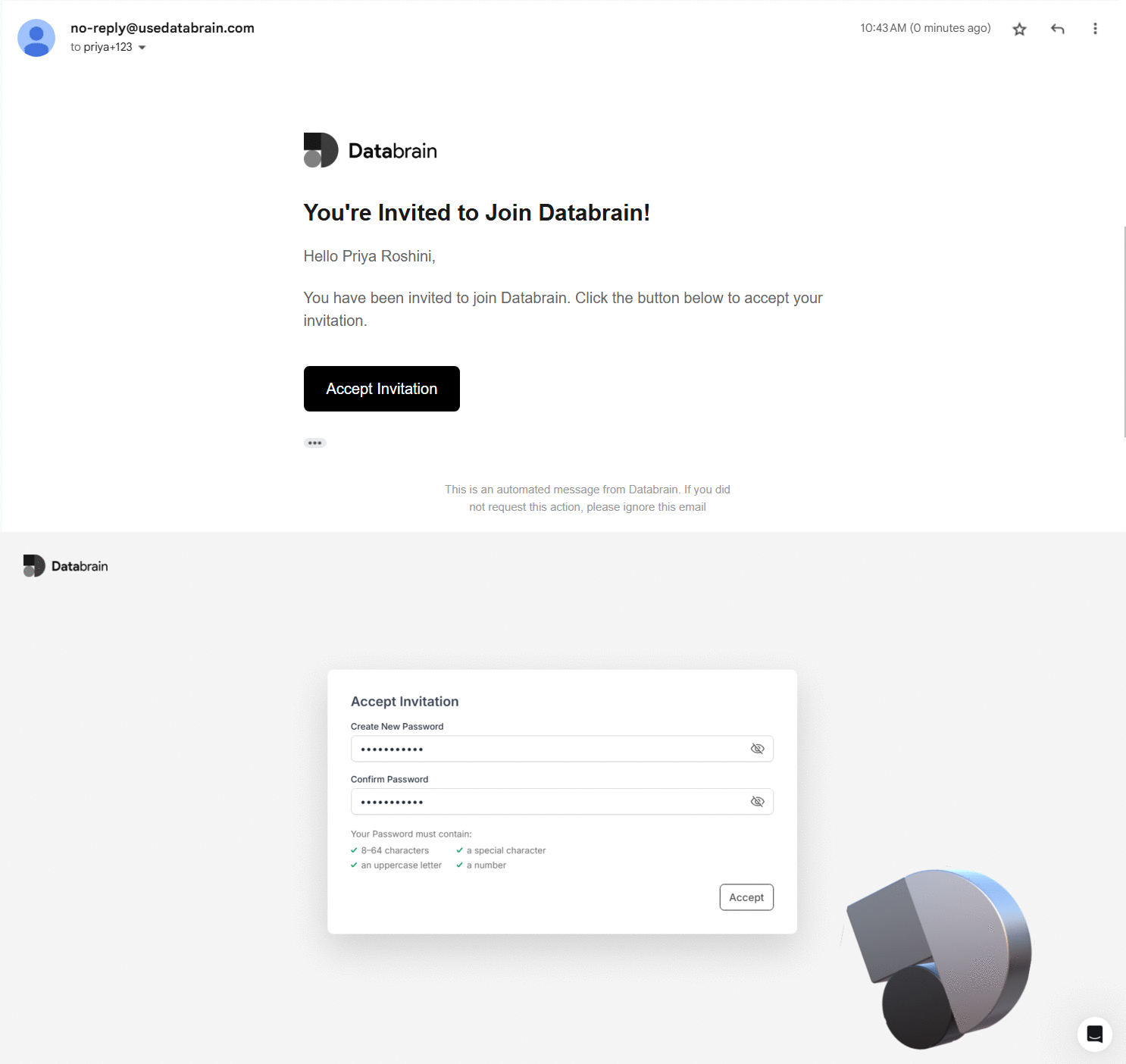
User login interface after invitation
Self-Hosted Environment
In a self-hosted environment, the admin must configure email settings before inviting users.This ensures that invitation emails are delivered successfully.
1. Configuring Email Settings
1
Configure Email Settings
- Navigate to the “Settings” page.
- In the “Embed Settings” section, configure the required email settings.
- Click “Authenticate” to save and validate the configuration.
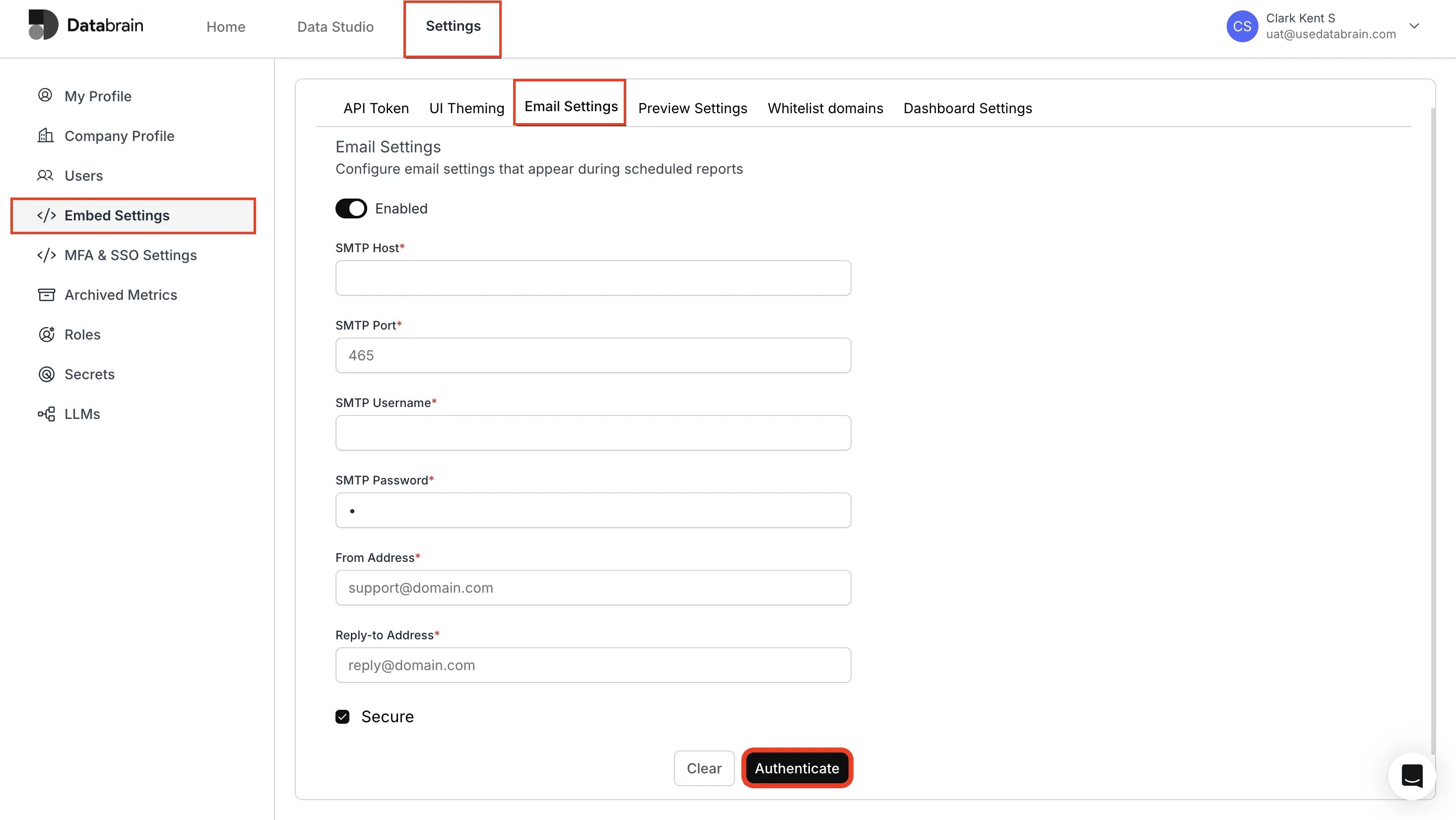
Email Settings configuration in self-hosted Databrain environment
2. Inviting a User
After the email settings are configured:1
Invite a User
- Navigate to the “Invite User” section.
- Enter the user’s email address.
- Assign a role — Developer, Editor, or Viewer and select the workspaces the user should have access to.
- Click “Invite” to complete the process.
Inviting a User in the Self-Hosted Environment
3. Logging In
The invited user will receive an email containing the login link.They can click the link and log in to access their Databrain account.
User login screen for invited user