

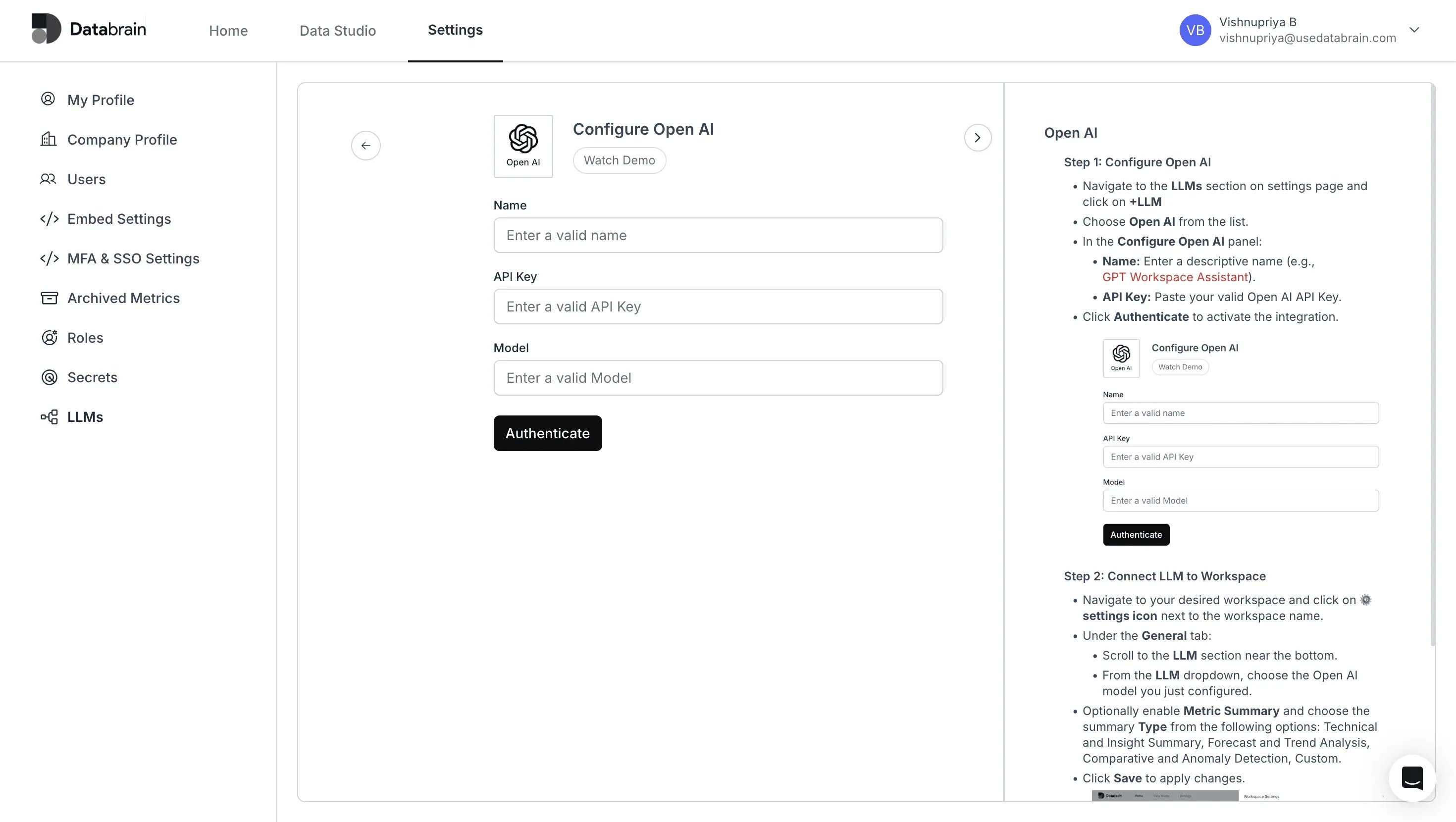
Step 1: Configure Open AI
1
Navigate to the LLMs section on the settings page and click on +LLM.
2
Choose Open AI from the list.
3
In the Configure Open AI panel:
- Name: Enter a descriptive name (e.g.,
GPT Workspace Assistant). - API Key: Paste your valid Open AI API Key.
4
Click Authenticate to activate the integration.
Step 2: Connect LLM to Workspace
1
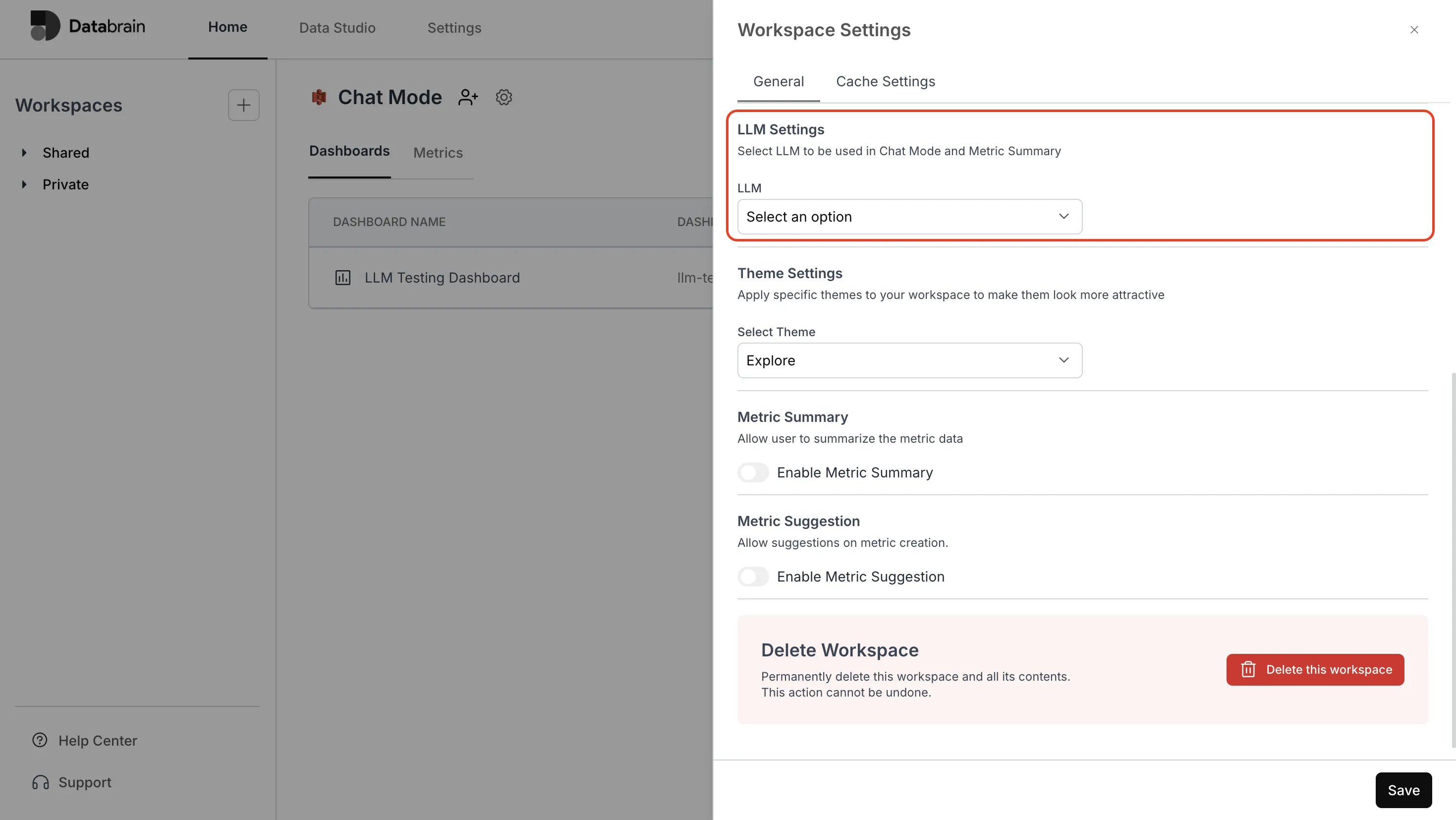
Navigate to your desired workspace and click on the ⚙️ settings icon next to the workspace name.
2
Under the General tab:
- Scroll to the LLM section near the bottom
- From the LLM dropdown, choose the Open AI model you just configured
3
Optionally enable Metric Summary and choose the summary Type from the following options:
Technical and Insight Summary, Forecast and Trend Analysis, Comparative and Anomaly Detection, Custom.
Technical and Insight Summary, Forecast and Trend Analysis, Comparative and Anomaly Detection, Custom.
4
Click Save to apply changes.
You’ve successfully connected Open AI with your Databrain workspace!
Your LLM integration is now active — enabling automated metric summaries, insights, and intelligent data exploration across your dashboards.
Your LLM integration is now active — enabling automated metric summaries, insights, and intelligent data exploration across your dashboards.