

1
Go to Embed Settings and generate token
Go to the Settings page then in the “Embed Settings” tab, click on “Generate api token” button.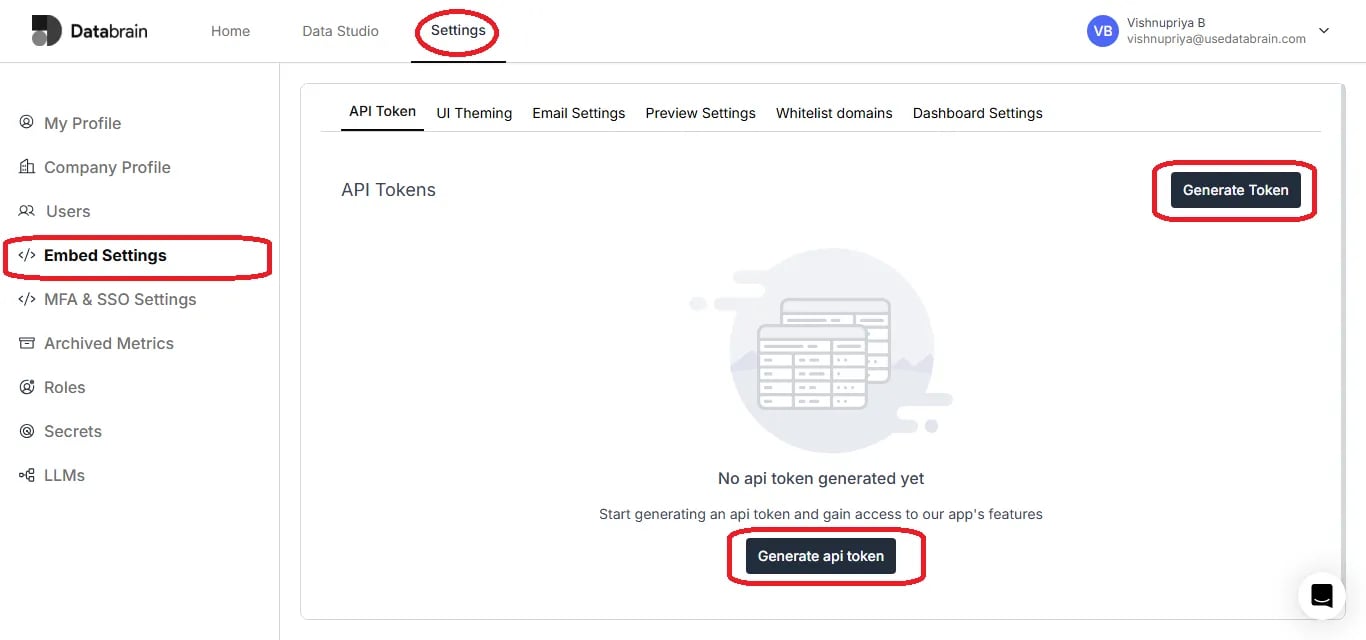
2
Fill out API Token details
In the popup modal give a name to the API Token, then provide an optional description of why you are creating this token.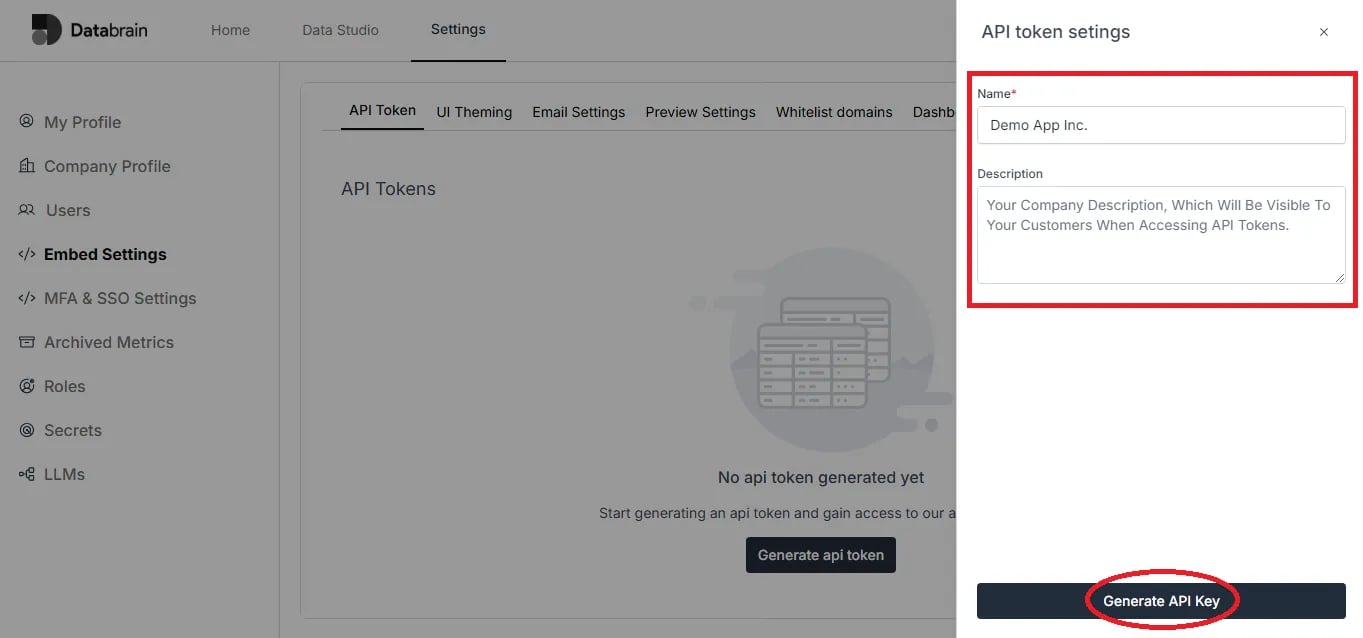
3
Set permissions and generate API Key
Provide the necessary permissions to the token from the dropdown list. Then click on “Generate API Key” button.
4
Copy your newly created API Key
You will be able to view the newly created API key in the table, then click on the copy icon.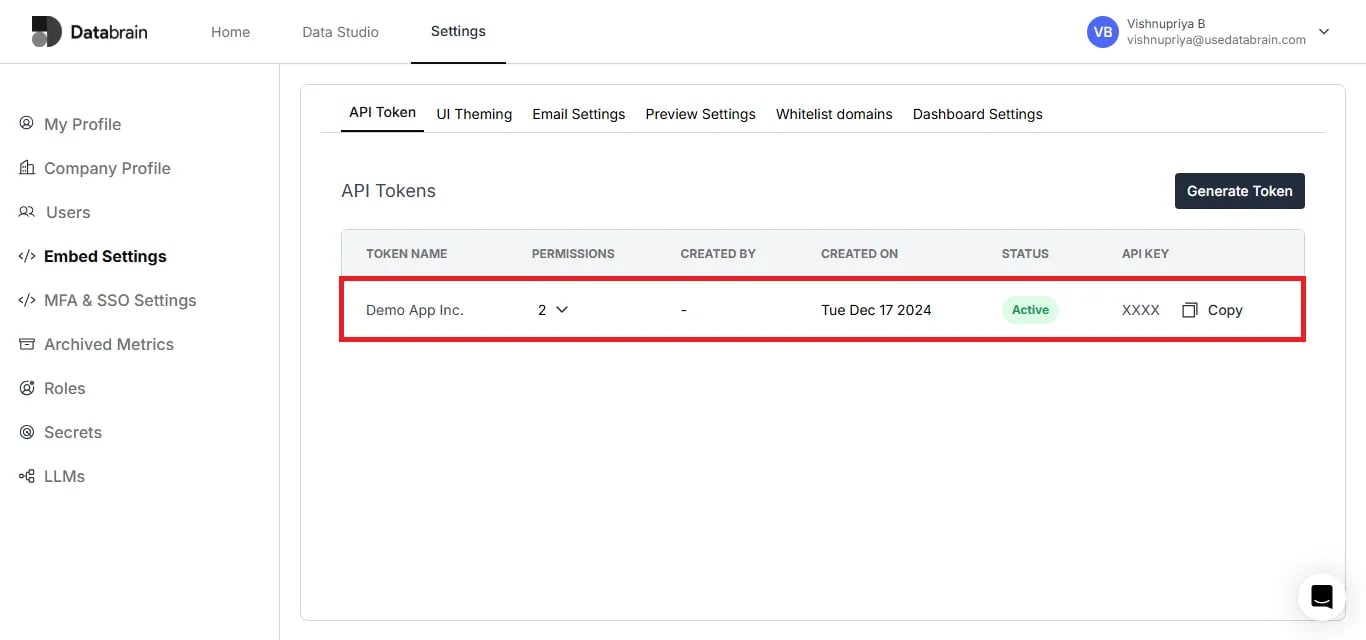
5
Use the API Key in your app
Now you can use this API Key as a Bearer Token Authorization header and call the Databrain APIs from your app.
6
You're done!
Yahoo! You have successfully created the API Key which you use to connect Databrain APIs from your app.